
Disclosure: Bluehost paid me a flat fee to write this review, and the Bluehost links on this page are affiliate links, so I may earn a commission if you sign up. Everything below is what happened when I used it.
I asked Bluehost AI Builder for a website and a client portal for a small web design studio. One message, about 80 words long, got me a five-page website, a project enquiry form, a login area for clients and an admin panel to run it all. It took about five minutes and used one of the free plan’s five daily credits.
It also gave the studio a home town, a price list and four past clients that I hadn’t mentioned.
Bluehost AI Builder is good at the part that used to need a developer: the database, the logins and the admin screens. You still have to read every word it writes before anyone else sees it.
What Bluehost AI Builder is
Bluehost AI Builder is a chat-based builder from the hosting company Bluehost. You describe the website or web app you need in plain English, it builds it, and you change it by chatting. There’s no page editor and no WordPress dashboard. Bluehost hosts whatever you publish.
It also builds web apps, not only pages. Bluehost pitches it for booking systems, quote request forms and customer portals, with logins and an admin panel included. It’s $0 to start, no credit card.
What I asked it to build
I didn’t want to test a few pages of text and photos. I asked for something that needs logins, stored data and two views of the same information, one for the client and one for the owner. I used a made-up business, so no real customer data was involved.
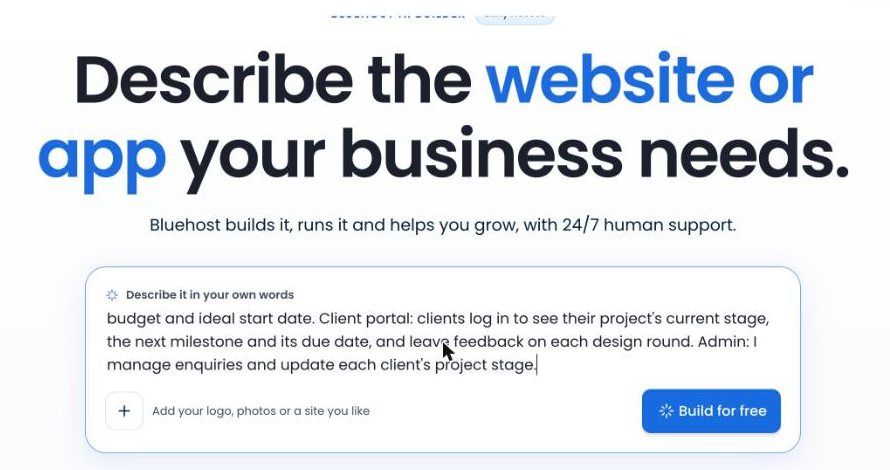
This was the whole prompt:
A website and client portal for Northfield Studio, a one-person web design business (a made-up business for a test). Public site: a home page, services with three fixed-price website packages, a portfolio of past projects, and a project enquiry form that asks for budget and ideal start date. Client portal: clients log in to see their project’s current stage, the next milestone and its due date, and leave feedback on each design round. Admin: I manage enquiries and update each client’s project stage.
What one message built
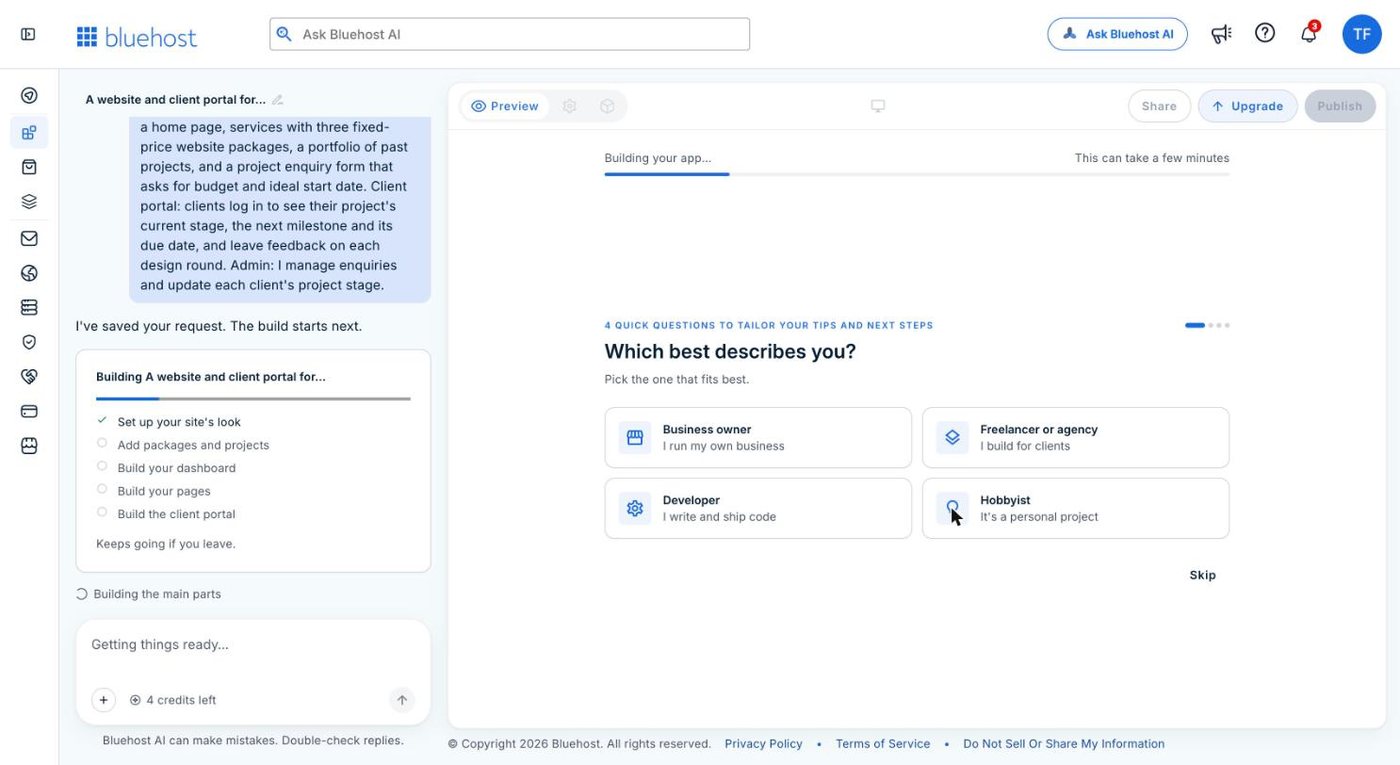
The builder showed a checklist while it worked: set up the site’s look, add packages and projects, build the dashboard, build the pages, build the client portal. Partway through, it offered four optional questions about me. I skipped them, and it carried on without asking anything else.
Five minutes later I had this:
- A home page, services page, portfolio, about page and contact page
- An enquiry form with a package choice, budget ranges and a start date
- A client login page, with client accounts that only the owner can create
- An admin panel for enquiries, client accounts, client projects, packages, portfolio items, messages and business details
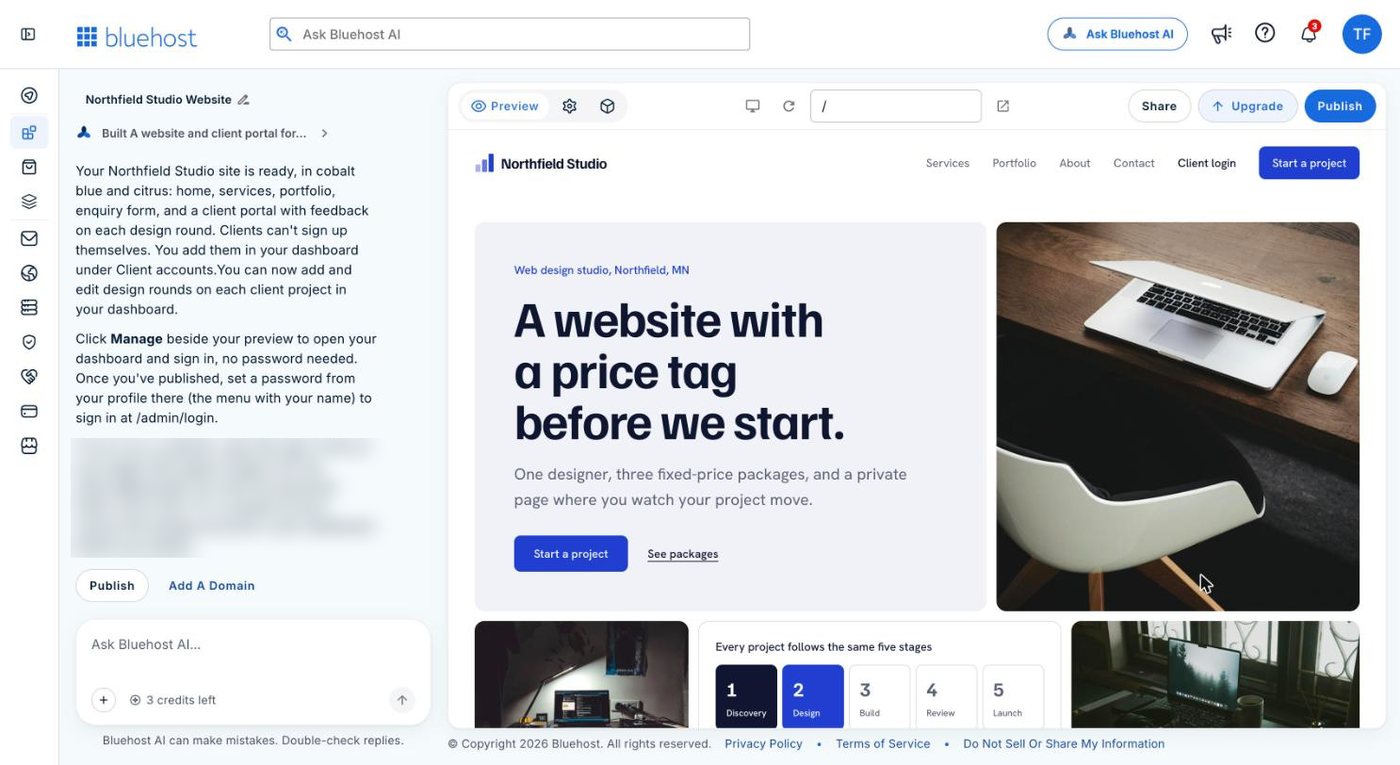
The design is clean, the copy reads well, and the headline it wrote, “A website with a price tag before we start”, is a good one. Every image had alt text, and every page had its own title and meta description.
The admin panel behind the site
The public pages are fine, but the admin side is what I didn’t expect from one message.
Each client project has a stage (Discovery, Design, Build, Review or Launch), a next milestone with a due date, and a “Next stage” button. Inside each project is a list of design rounds, each with a status and the client’s feedback attached.
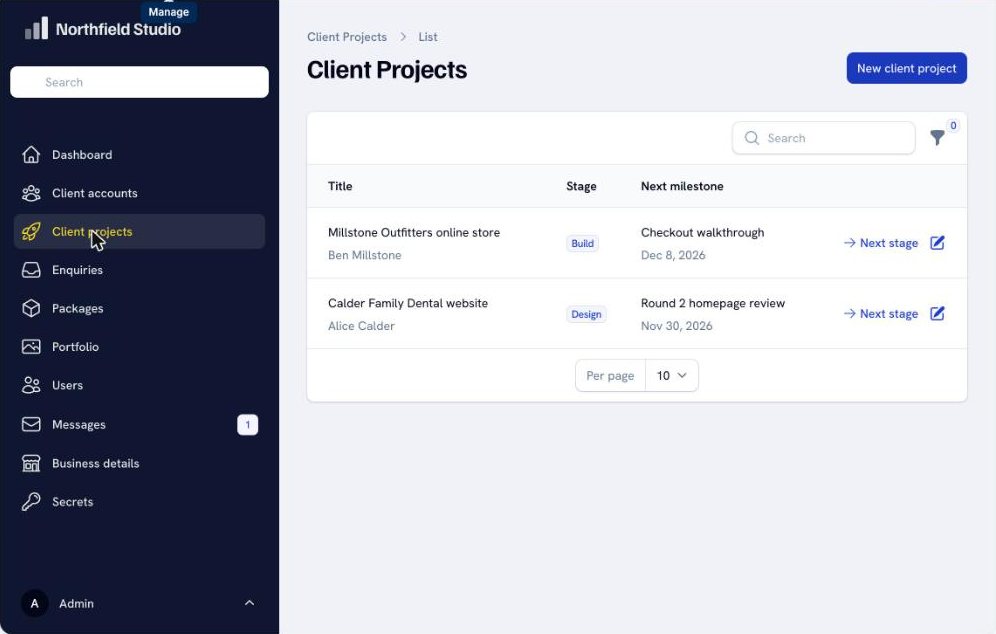
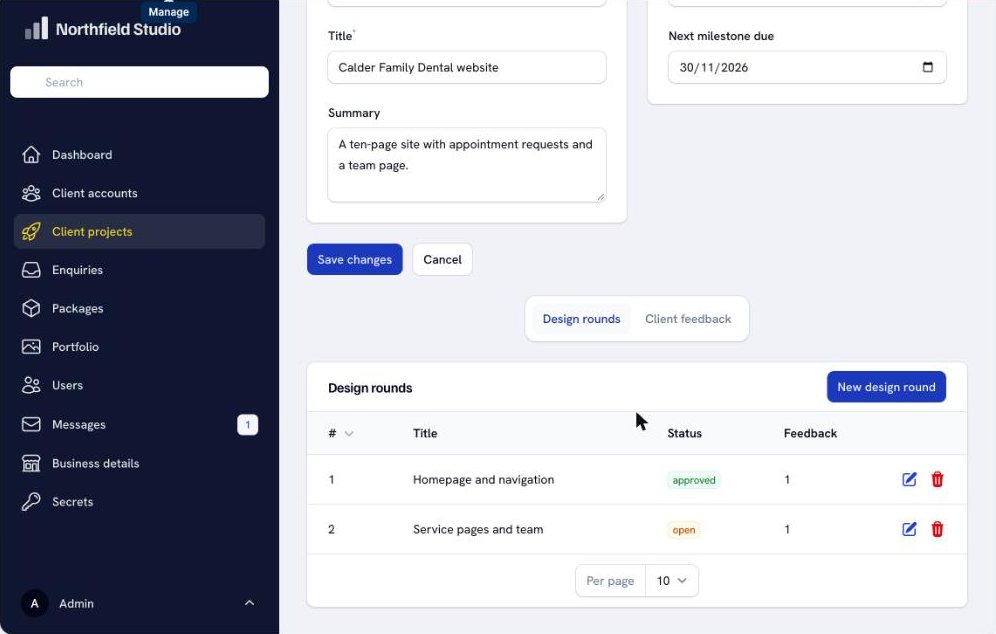
That’s a working project tracker, built to my brief. The builder filled every screen with sample enquiries, projects and a sample client login so you can see how it behaves. Bluehost’s FAQ points out that the preview and the live site share one database, so those sample records are real until you delete them.
What it made up
I said the studio was a one-person web design business. The builder decided it was in Northfield, Minnesota. It priced the three packages at $2,400, $5,200 and $9,800. It filled the portfolio with four past clients, a bakery, a dental practice, a retail shop and a food bank, with names, sectors and years. It promised visitors a reply “within two business days”.
None of that came from me. A builder has to put something on the page, and everything it put there is plausible, which is what makes it easy to miss. Publish it without reading and you’d be showing customers clients you never had and prices you never chose.
One message bought me a client portal. It also bought me four clients who don’t exist.
Put your real details in the first message, including your town, your prices, your projects and how quickly you reply, because the builder fills any gap with something of its own.
Changing it by chat
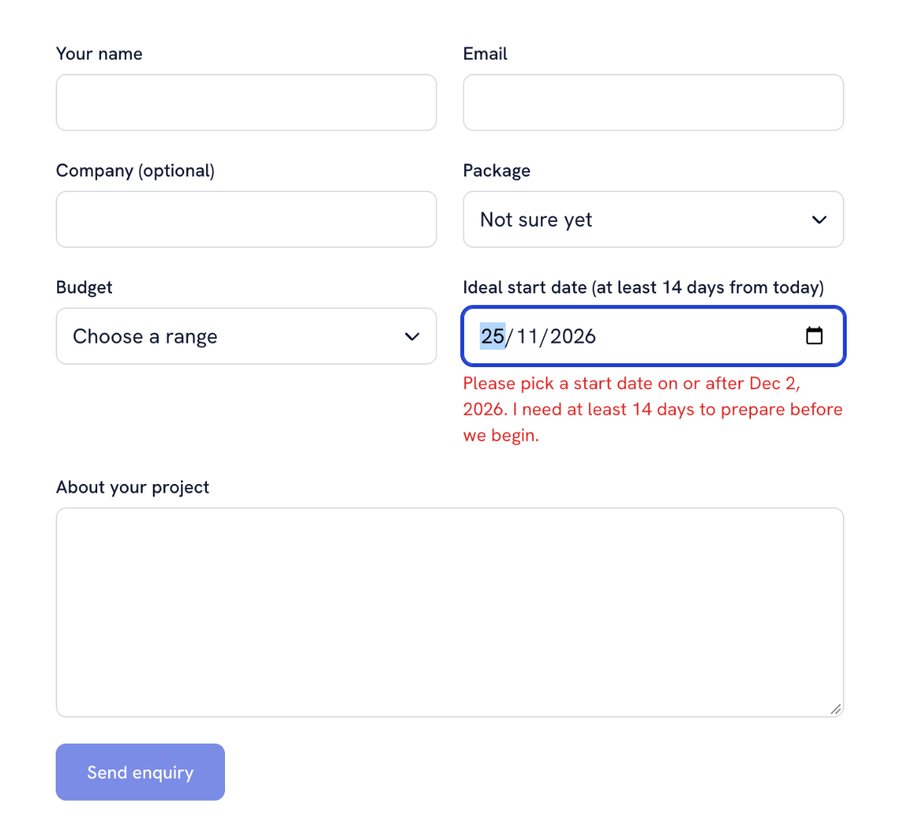
Each message that changes the site costs one credit, however big the change. So I put two changes into one message: the start date on the enquiry form had to be at least 14 days away, with a clear error if it wasn’t, and I wanted a new “How it works” page explaining the five stages, linked from the main menu.
That took about a minute and a half. The date field now refuses anything sooner than 14 days out and says why. The builder told me it also checks the rule when the form is sent, not only in the browser. The new page appeared in the main menu, though not in the footer, which I hadn’t asked for.
Questions are free. I asked the builder something without asking for a change, and my credit count didn’t move. There’s no undo button, though. Bluehost’s FAQ says that to reverse a change you ask for it to be changed back, which costs another credit.
What to know before you rely on it
The free plan publishes to a random address ending in .app.bluehost.ai. Bluehost says sites on that address aren’t indexed by search engines, and your own domain needs a paid plan (paid plans from $20/mo).
Both AI Builder sites I checked, my own preview and a published free-plan site, block AI search crawlers such as OAI-SearchBot and PerplexityBot in robots.txt. I asked the builder to allow them. It said it had, but the preview still served the old rules. I’ve written up what I found in Bluehost AI Builder and SEO.
Forms don’t email anyone until you connect your own Resend or Postmark account. The settings page says Bluehost doesn’t send these emails for you and SMTP isn’t supported. The admin panel says changing a project’s stage emails the client, and that depends on the same connection.
You can’t take your site with you. Bluehost’s FAQ says there’s no source code access, no FTP and no code export. It also says AI Builder doesn’t support selling or taking payments, and points you to its separate AI Store for that.
Sites go to sleep after 15 minutes without a visitor, so the first visit after a quiet spell is slower.
What it costs
It’s $0 to start, no credit card. The free plan gives you 5 credits a day, up to 30 in each 30-day period, and doesn’t end. One message that creates or changes your site uses one credit. Publishing and hosting use none.
My whole test used three credits: the first build and two rounds of changes. That leaves plenty of room on the free plan to get a site right before you pay anything.
Paid plans from $20/mo add your own domain and remove the daily limit. The cheapest, Lite, gives you 100 credits a month. I’ve broken down every plan and what the credits go on in Bluehost AI Builder pricing.
Who it’s for
It’s a good fit for a small service business that needs a website and one working tool behind it: a booking page, a quote form, or a place where clients log in and see where their job is. You describe it, check every word, connect an email provider and publish.
It can also build tools that only you use. One message got me a working CRM for a one-person business, and I’ve written up how to build your own CRM with AI.
It’s the wrong tool for a blog or a content site you want to rank in Google. This site runs on WordPress, and that’s still how I’d build anything content-led. Bluehost sells a separate WordPress AI Builder for that, and I’ve explained which of Bluehost’s AI builders does what.
It’s also the wrong tool if you build sites for paying clients and need to hand over the code. Hostinger’s AI builder lets you export it, and Bluehost’s doesn’t.
My verdict
To get the same thing in WordPress I’d need a membership plugin, a forms plugin and a fair amount of setting up. Bluehost AI Builder did it from one message in five minutes, and the parts fit together.
For a small business that wants a site with a working tool behind it, and never wants to see a plugin, it’s worth trying, and trying it costs nothing.
FAQ
It’s $0 to start, no credit card. The free plan gives you 5 credits a day, up to 30 every 30 days, and publishes on a free Bluehost address. Paid plans from $20/mo add your own domain.
Yes. My test built a client portal with logins, project stages, design rounds and an admin panel from one message. Bluehost also lists booking systems, quote request forms and directories.
No. It’s Bluehost’s own platform, edited by chat. There’s no WordPress dashboard and no way to export the code.
My first build, a five-page site with a client portal and admin panel, took one credit. Each change after that took one credit, and questions took none.
Tested on the free plan, 18 November 2026. Plan details checked on bluehost.com and in the AI Builder upgrade screen the same day.