

Disclosure: Bluehost paid me a flat fee for this article, and the Bluehost links on this page are affiliate links, so I may earn a commission if you sign up. Everything below is what happened when I used it.
Yes, you can build your own CRM with AI, and you can do it for nothing. I described a CRM for a one-person marketing consultancy in one message to Bluehost AI Builder. About five minutes later I had contacts, companies, a five-stage deals pipeline, notes and follow-ups on every contact, a dashboard, CSV import and export, and a public enquiry form. It cost one credit on the free plan.
Whether you should is a different question. A CRM you build yourself does what you ask for and nothing more, so anything you forget to ask for isn’t there.
Why build your own CRM at all?
If a standard CRM already fits how you work, use one. HubSpot’s free CRM is free with no expiry date and connects to more than 2,000 other apps, according to HubSpot.
Building your own makes sense when you want the stages, fields and numbers your business uses, without paying for or wading through features you don’t.
What I used
Bluehost AI Builder is a chat-based builder from the hosting company Bluehost. You describe the website or web app you want, it builds it, and you change it by chatting. It’s $0 to start, no credit card, and Bluehost hosts what you build. I tested it on the free plan. I’d already used it to build a website and client portal for my Bluehost AI Builder review.
The consultancy is made up, so no real client data was involved.
The prompt
This was the whole message:
A simple CRM for a one-person marketing consultancy (a made-up business for a test). I need: contacts and the companies they work for; a deals pipeline with stages (Lead, Call booked, Proposal sent, Won, Lost) and a value for each deal; notes and follow-up tasks with due dates on each contact; a dashboard showing open pipeline value, deals won this month and overdue follow-ups; a public ‘Work with me’ form that adds new enquiries straight into the pipeline as Leads; and a way to import contacts from a CSV file and export them again. Only I need to log in.

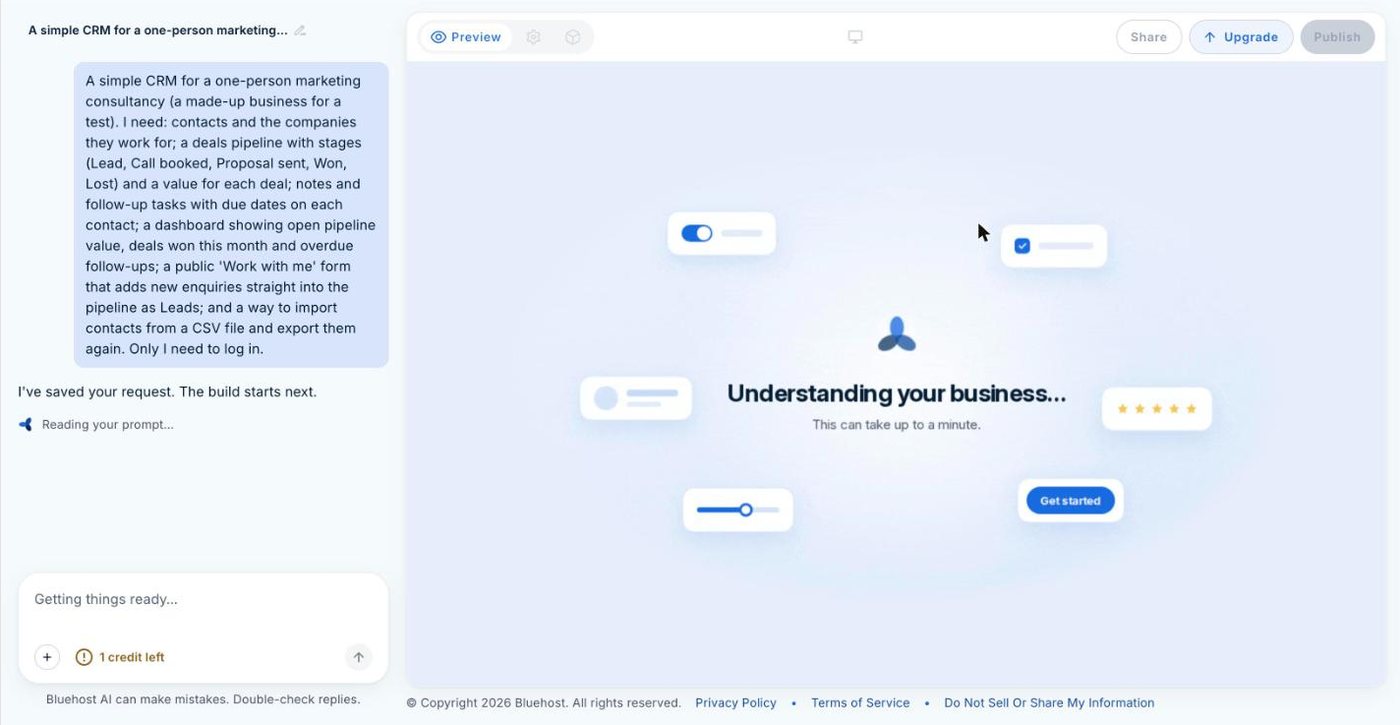
I put everything into one message because each message that changes the build uses one credit, whatever its size. One detailed message costs less than five short ones.
What one message built
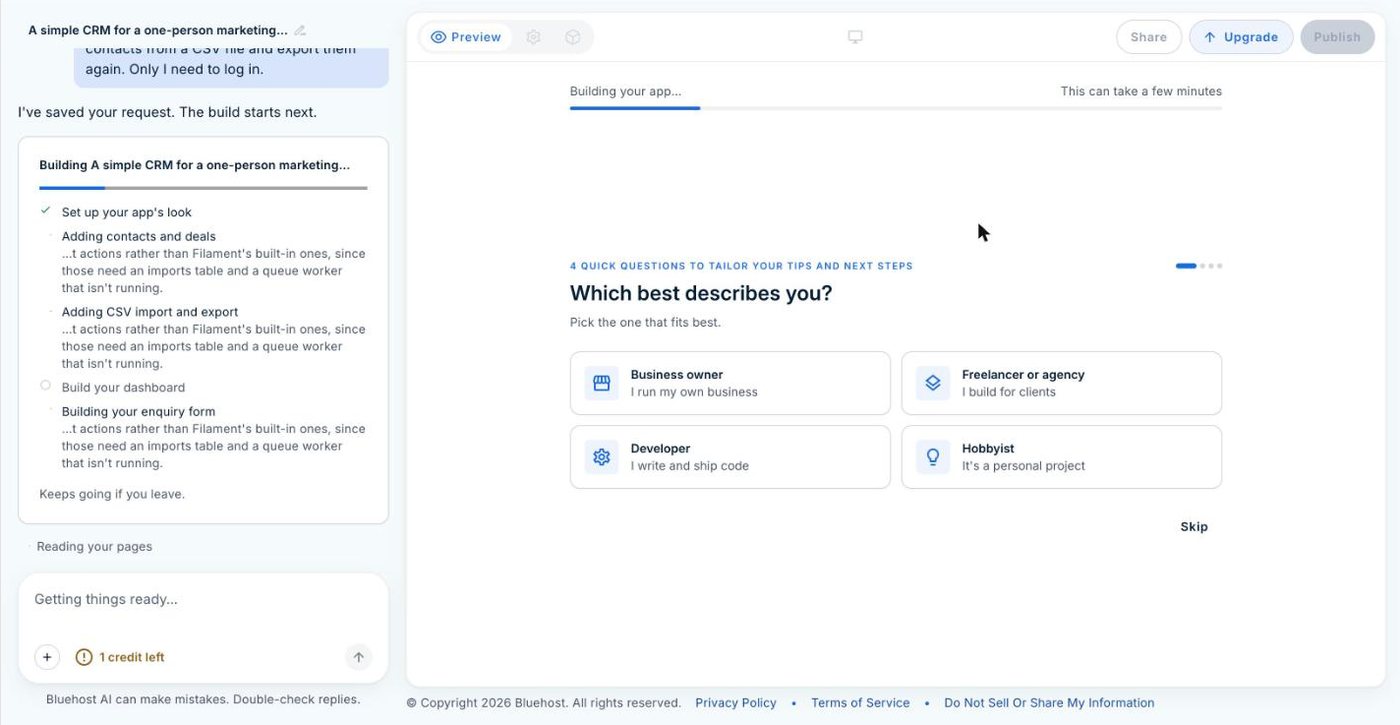
The builder worked through a checklist: the look, contacts and deals, CSV import and export, the dashboard, the enquiry form. Partway through it offered four optional questions about me, which I skipped. The build took about five minutes.
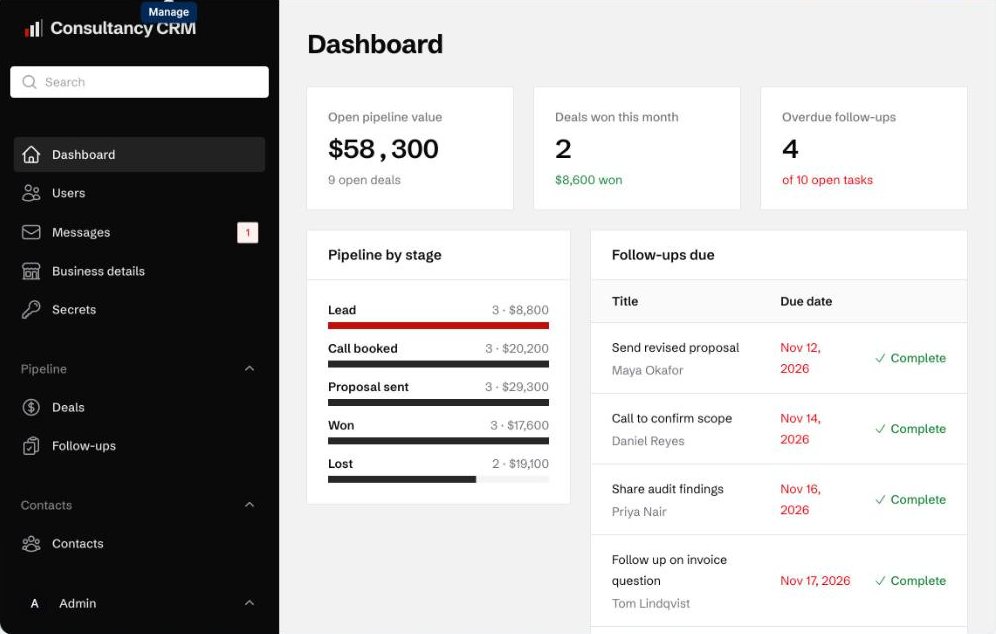
The dashboard shows the three numbers I asked for: open pipeline value, deals won this month and overdue follow-ups. Under those are a bar for each pipeline stage, with the number of deals and their total value, and a list of follow-ups due, each with a Complete button. Overdue dates show in red.

Deals use the five stages I named, in the order I named them. Each deal has a value and a close date, and the list has Mark won and Mark lost buttons, so you don’t have to edit a record to move it on.
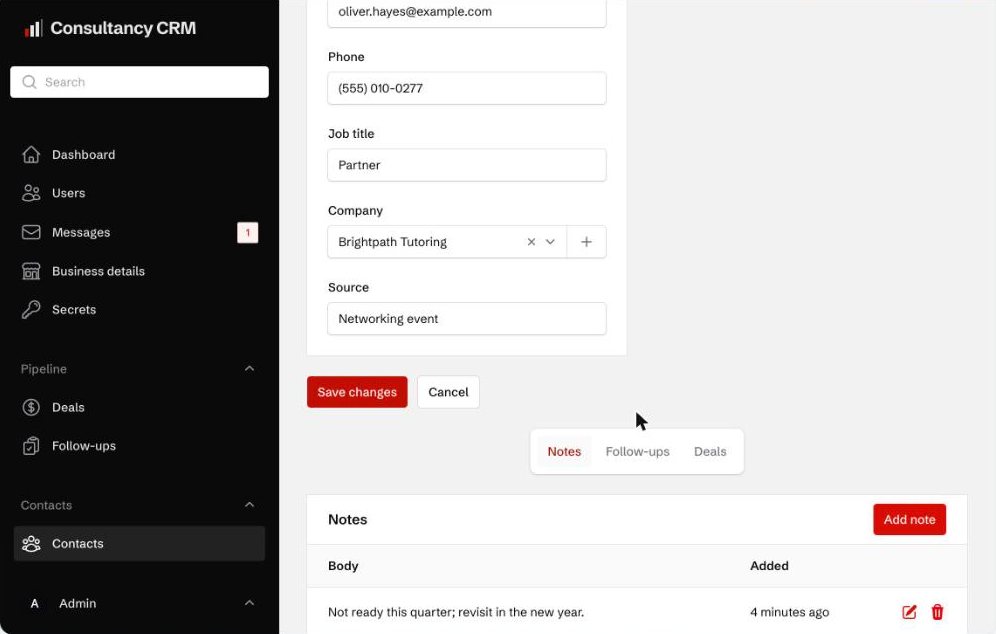
Contacts and companies are separate records, and each contact links to a company. Open a contact and you get their details plus three tabs: notes, follow-ups and deals. The contacts list also shows how many open deals each person has and when you next need to chase them.
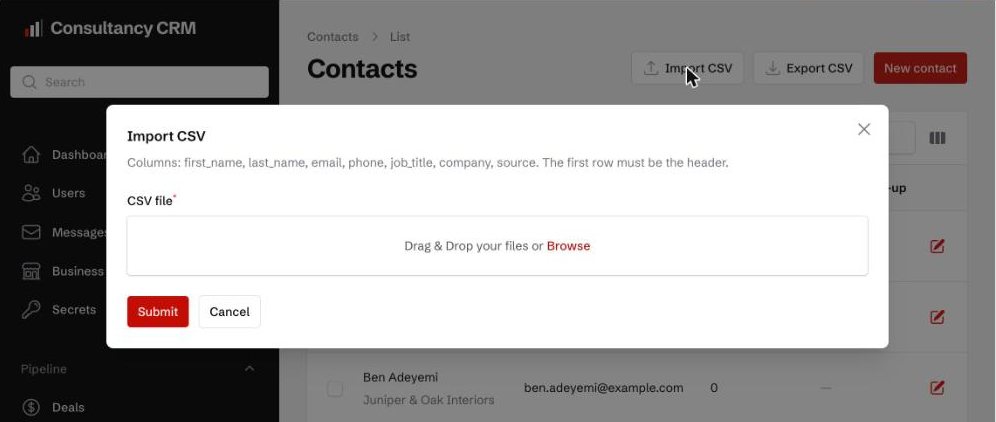
The import screen tells you the columns it expects: first name, last name, email, phone, job title, company and source, with a header row. Export is one button.

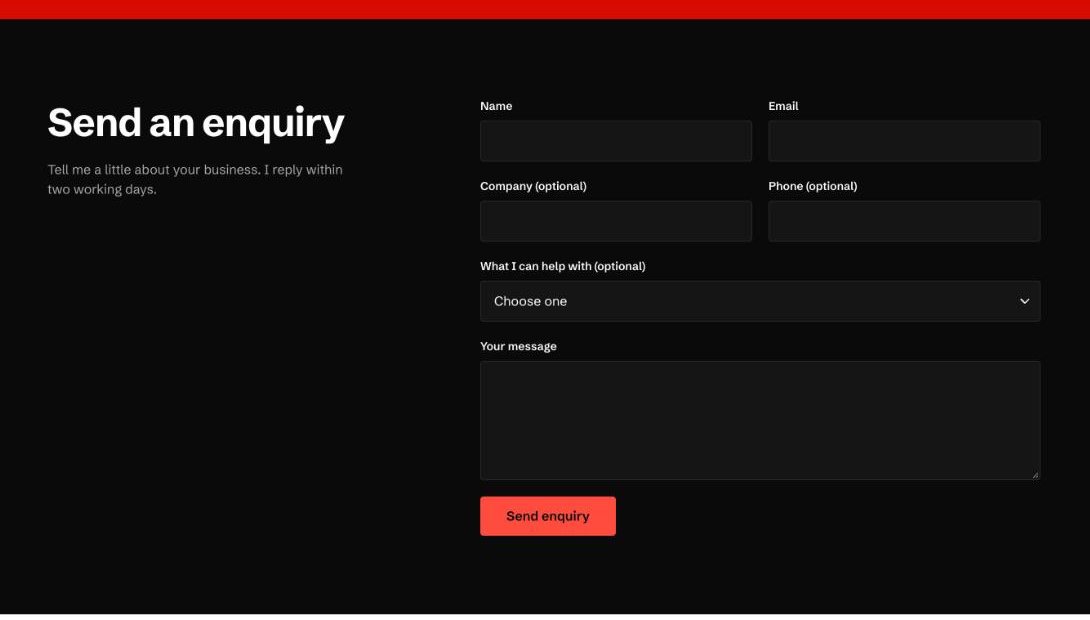
The public “Work with me” page has an enquiry form with name, email, company, phone, a choice of services and a message box. It also has a hidden field meant to catch spam bots. The page says new enquiries land in the pipeline as Leads. I didn’t send a test enquiry through it.

Everything was filled with sample contacts, companies and deals, so the screens had something to show. The builder said so when it finished, and they need deleting before you use it for real.
What it got wrong
Both mistakes were on the public page. It promised visitors a reply “within two working days”. I didn’t ask for that. When it finished, the builder said the phone number and email on the page were samples too, so anything you leave out, it fills in.
It also put the five pipeline stages on the public page as a numbered strip, with “Your enquiry lands here” under Lead. That includes “Lost”. I wouldn’t show a prospect the stage where deals go to die. One message would fix both, but that’s another credit.
The limits that matter for a CRM
The biggest catch with Bluehost AI Builder’s free plan is that sites on its free address aren’t indexed by search engines. I’ve written about that in Bluehost AI Builder SEO. For a CRM it doesn’t matter. Nobody needs to find your CRM but you.
There’s no email in it. It doesn’t connect to your inbox, so emails aren’t logged against a contact. If you want the app to send anything, such as an alert when a new enquiry arrives, you connect your own Resend or Postmark account. Bluehost’s settings page says it doesn’t send these emails for you and doesn’t support SMTP.
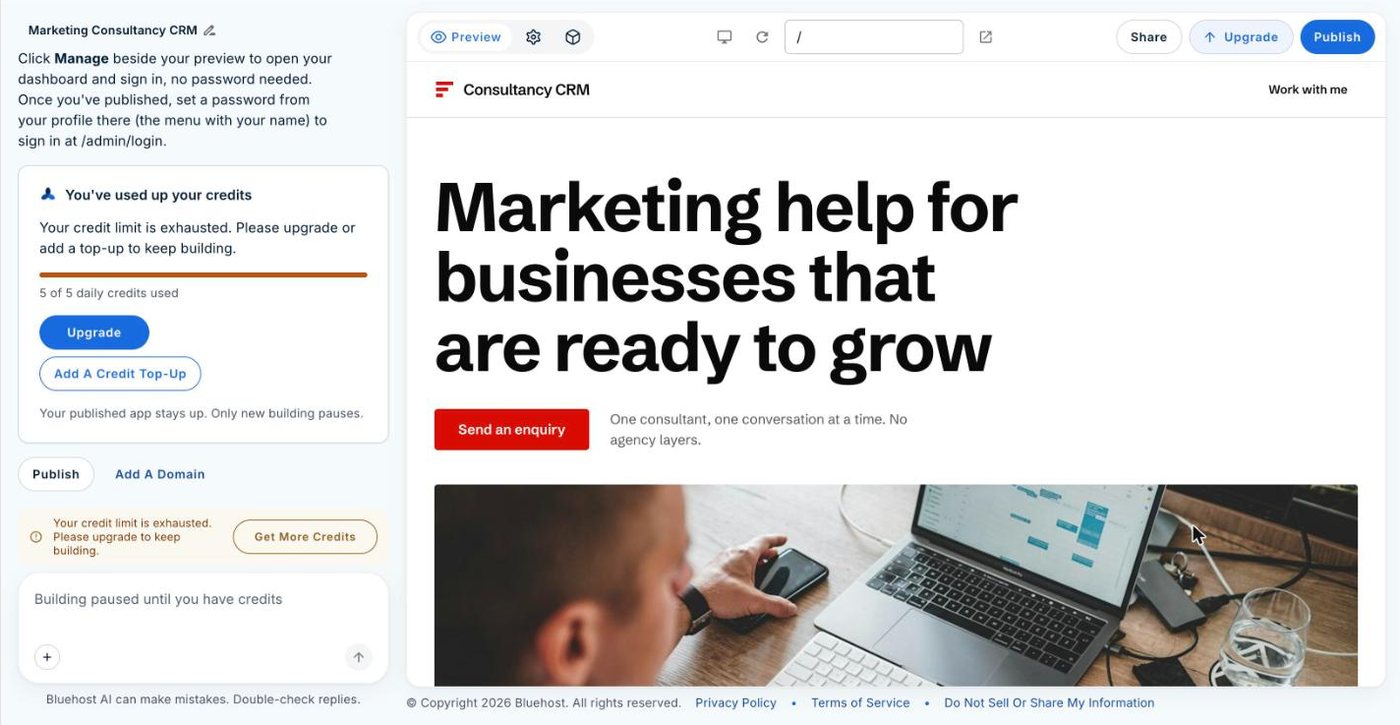
Changes cost credits, and the free plan gives you 5 a day. My CRM build used the last of mine that day, because four had already gone on other tests. When you run out, the chat locks with “Building paused until you have credits” until the next day, unless you pay. Using the CRM costs nothing, though. Adding contacts, moving deals and ticking off follow-ups happens in the dashboard, and that doesn’t touch your credits.
You can’t take the code with you. Bluehost says AI Builder has no code export. You can take your data, though, because the CRM exports contacts as a CSV file. I’d export one regularly as a backup.
The app goes to sleep after 15 minutes without a visitor, so the first time you open it after a break, it’s slower.
Your enquiry form lives on a random .app.bluehost.ai address on the free plan. That’s fine for an admin tool, but you’ll want your own domain before you send people to a form, and that needs a paid plan (paid plans from $20/mo).
Should you build your own CRM with AI?
Build your own if you work alone or with one or two others, run one simple pipeline, and want it set up your way without paying for a big CRM. The free plan is enough to build it and run it.
Use HubSpot’s free CRM, or something like it, if you need your CRM to connect to the rest of your tools.
If what you need is a list of people to email, an email tool will do that job better than a CRM, and I’ve covered how to build an email list separately.
How to build yours
- Write one detailed first message: your pipeline stages in order, the fields you need on a contact, the numbers you want on the dashboard, and any form or import you need.
- Say who logs in. I said only I would, so it didn’t build a login area for clients.
- Skip the optional questions if you like. Bluehost says they’re for tailoring tips and next steps.
- Open Manage and go through every screen. Delete the sample contacts, companies and deals.
- Fix the public page’s wording, or ask the builder to remove the public page if you only want the admin side.
- Publish and set a password from your profile, so you can sign in at /admin/login outside the builder.
- Connect Resend or Postmark if you want email alerts for new enquiries.
- Export your contacts as a CSV every so often.
Try Bluehost AI Builder free. It’s $0 to start, no credit card, and my CRM cost one credit. I’ve broken down the paid plans in Bluehost AI Builder pricing.
FAQ
Yes. One message to Bluehost AI Builder built me a working CRM with contacts, companies, a deals pipeline, notes, follow-ups, a dashboard, CSV import and export, and a public enquiry form.
Yes. Bluehost AI Builder’s free plan is $0 to start, no credit card, and my CRM build used one of its 5 daily credits. Using the CRM after it’s built doesn’t use credits.
Not for everything. Mine had no inbox connection and no links to other apps. It does what you describe, which suits a simple one-person pipeline. HubSpot’s free CRM connects to more than 2,000 apps, so it’s the better choice if your CRM needs to work with other tools.
Yes, if you ask for an export. Mine has a CSV export button for contacts. You can’t export the app’s code.
Built and tested on Bluehost AI Builder’s free plan, 18 November 2026. HubSpot details checked on hubspot.com the same day.